Best group memory book apps where everyone can contribute from their phone (2026).
Trying to make a collaborative memory book with friends or family without chasing people in iMessage or spending 20 hours on layout? Compare group yearbooks, photo book co-editors, Canva templates, and shared albums.
Written by Philip · Published October 31, 2026
The short answer
Most collaborative photo book projects fail for two reasons: contributors are asked to download an app or create an account just to add one memory, and one organizer still ends up spending hours manually arranging everyone's photos onto pages. If you want a group memory book where everyone actually participates from their phone and the layout handles itself, a group yeerbook lets up to 25 friends or family members contribute monthly recaps via a browser link (with no app or account needed) and read and sign pages together as the year unfolds. And if you are making a book for a single trip, semester abroad, or milestone birthday where one person would rather curate the pages and have everyone else sign from their phone, a personal yeerbook with a signing link gives you that option too.
- The number one reason contributors ghost a group book is login friction: app store downloads, account creation, and desktop-only page editors.
- With yeerbook, group members and signers open a private web link directly on their phone with no app download or account needed.
- Page layouts are automatic so zero design work is required, with simple edit tools available whenever you want to adjust or rearrange pages.
- A yeerbook is a one-time purchase of $129 for up to 120 pages in an A4 matte hardcover with worldwide shipping included; extra printed copies for group members cost $79 each.
Why most group memory books turn into a solo chore
Almost every friend group, family, or graduating cohort has had the same idea: "Let's all pitch in and make a memory book together." And almost every time, the same person ends up doing ninety percent of the work.
When you use a traditional photo book editor or a shared Canva file, collaboration usually means one of two painful workflows. Either you invite ten people as co-editors on a desktop layout tool where someone accidentally drags a photo box out of alignment, or you become the human bottleneck: texting friends in WhatsApp and iMessage for weeks, downloading compressed photos from chat threads, copying and pasting their messages into text boxes, and spending twenty hours formatting spreads by hand.
To get a whole group to actually contribute from their phones, the tool has to remove both bottlenecks at once: zero-login mobile contribution for the group, and automatic editorial layout (with easy editing when you want it) for the organizer.
1. A group yeerbook: built for ongoing friend groups and multi-generational families
If your goal is to capture a shared 3-to-12-month chapter together across cities or generations, a group yeerbook is built around a fun, lightweight monthly rhythm rather than a chaotic year-end scramble.
How people join: The organizer shares a private invite link. Up to 25 members join in their mobile browser with just their name and email. There is no app to install and no account to set up, so both busy thirty-somethings and non-technical grandparents can participate effortlessly.
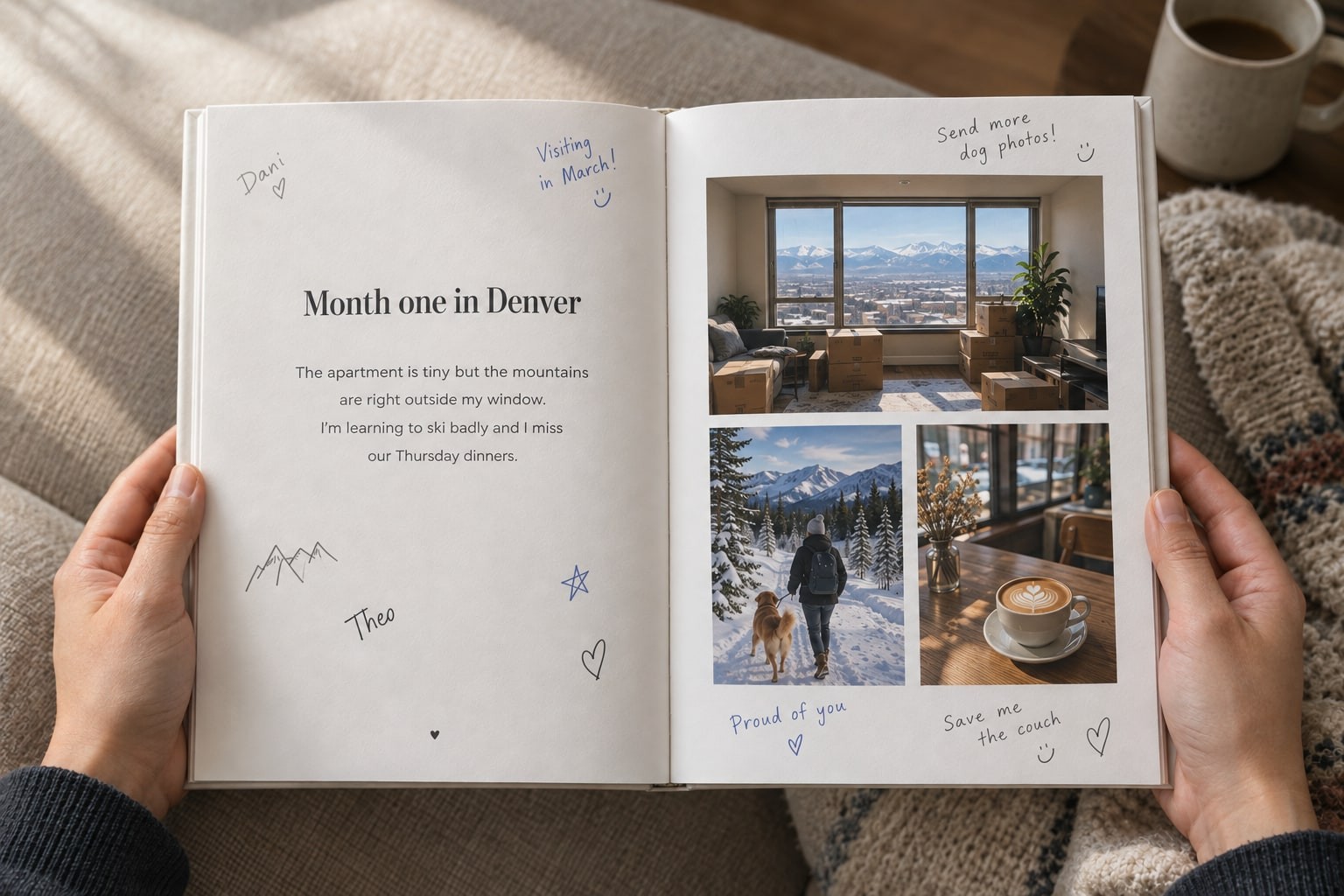
How contribution and signing work: On the 1st of each month, everyone gets a prompt to add a few photos and a short written or voice reflection from the month that just ended. A week later, all recaps unlock simultaneously in a synchronized reveal. Once a month is revealed, members can read each other's updates, draw signatures or doodles on their phone, leave notes, and add custom photo stickers anytime before the book closes for printing.
How layout and printing work: Every spread is laid out automatically so no design work is required, and you still have edit tools to tweak layouts, crop photos, or rearrange pages whenever you like. At the end of the chapter, it prints as an A4 hardcover on archival-quality paper.
2. Traditional photo book co-editors (Mixbook, Shutterfly, Chatbooks)
Traditional photo book services are built first for printing galleries of photos. Some allow co-creators or shared photo pools where contributors can upload images into a project folder.
Where they fit: when you primarily want a visual photo album and have someone in the group who genuinely enjoys spending hours adjusting photo grids, margins, and typography on a laptop.
Where they struggle for groups: contributors still need to create an account to upload, mobile page editing is cramped, and one organizer still has to lay out everyone's photos and paste in captions by hand.
3. Shared Canva templates (digital scrapbooks)
Canva is a favorite for creative friend groups who want a freeform digital scrapbook look with custom fonts, tilted frames, freehand drawing, and cutout stickers.
Where it fits: a small circle of friends who already use Canva on their laptops and want total visual control over every spread.
Where it struggles on phones: editing a multi-page Canva document in a mobile browser is cramped, contributors accidentally nudge each other's frames out of alignment, and there are no built-in monthly prompts or reveals to keep the group moving without one friend nagging everyone in the chat.
4. Shared cloud albums (Google Photos and iCloud Shared Albums)
Shared phone albums are the fastest way to pool raw camera roll photos after a weekend trip or family holiday. They are free and already on everyone's phone.
As a memory book, however, a shared album is an unfinished ingredient list: two hundred unsorted pictures with no stories, no voice notes, no signatures, and no printed hardcover at the end. The best workflow is often using a shared album to dump raw photos during a trip, then pulling the best three into your yeerbook where friends can sign and write what happened.
When a personal yeerbook with a signing link is a better fit than a group book
Many people searching for a "group memory book app" do not actually want twenty people co-authoring chapters every month. For a study abroad semester, a milestone 30th or 40th birthday, a wedding year, or a big group trip, it is often much easier for one person to curate the photos and story while giving everyone else a frictionless way to sign from their phone.
With a personal yeerbook, you drop in your photos and reflections at your own pace, and the pages format themselves (with edit tools if you want to adjust anything). Then you generate a private signing link (yeerbook.com/sign/...) and drop it into the group chat. Anyone who taps that link on their phone can draw their signature, write a note, record a voice message, add photo stickers, or (when you turn on group memory mode for a specific event) upload their own photos from the party or trip, with no app or account needed.
Comparison at a glance
How a group yeerbook, traditional photo book co-editors, shared Canva templates, and shared cloud albums compare.
| Dimension | Group yeerbook | Photo book co-editors | Shared Canva template | Shared cloud album |
|---|---|---|---|---|
| Best for | Friend groups & families building a 3-to-12-month book together | One organizer who wants manual control over photo grids on a laptop | Design-savvy friends making a freeform digital scrapbook on desktop | Pooling raw event photos quickly for free |
| How members join & contribute | Tap a private browser link on any phone (no app or account needed) | Create an account to upload photos into a shared project folder | Log into Canva; difficult to edit multi-page layouts on a phone | Apple ID or Google account required to add photos |
| What people can add | Monthly photos, written stories, voice notes, drawn signatures & photo stickers | Photos and basic text captions | Photos, text boxes, graphics, and freehand drawing | Photos, videos, and short comments |
| How the group stays in sync | Automated monthly prompts + synchronized reveal; sign pages anytime before printing | No prompts; organizer chases people in group chats | No prompts; everyone edits the same open file whenever | No prompts; bursts of uploads after trips or holidays |
| Layout & design work | None required: automatic page layout, with edit tools to adjust anytime | High: manual drag, crop, and text alignment across spreads | Very high: every photo box and caption placed by hand | None (remains an unformatted photo grid) |
| Printed keepsake & cost | $129 A4 hardcover with worldwide shipping included ($79 per extra copy) | Priced per book and page count + shipping per order | Free to design; requires manual export or per-book print order | Digital folder only |
Explore the right fit for your circle: see friend group yearbooks, family yearbooks, books for teams and cohorts, or how yeerbook works step by step. You can also view our full side-by-side comparison or send a yeerbook as a gift.
For deeper breakdowns, read how long a photo book actually takes to make and shared photo album vs group yearbook.
Frequently asked questions
Should we choose a group yeerbook or a personal yeerbook with a signing link?
Choose a group yeerbook when you want up to 25 friends or family members to each contribute their own monthly life updates and reveal them together every month. Choose a personal yeerbook when one person wants to curate the photos and stories (for example, from a semester abroad, a wedding year, or a milestone trip) and send a link so friends can sign pages, draw, and leave notes from their phone.
Do contributors need to install an app or create an account?
No. In both group and personal yeerbooks, contributors tap a private link that opens directly in their mobile or desktop browser with no app download or account sign-up needed.
Can we edit the automatic layouts or sign earlier months later in the year?
Yes to both. Every spread lays out automatically so nobody has to spend hours designing pages, and you still have edit tools to adjust layouts, crop photos, or rearrange pages whenever you want. Once a month is revealed, members can also go back and sign or leave notes on any revealed month right up until the book closes for printing.
How much does a group memory book cost, and can members order extra copies?
A yeerbook is a one-time purchase of $129, which includes up to 120 pages, the digital book, and a printed A4 hardcover with worldwide shipping. In a group yeerbook, everyone else contributes for free, and any member can order their own printed hardcover copy for $79 (shipping included).
Everyone contributes from their phone. The book formats itself.
Start a group yeerbook or a personal yeerbook signed by your people.
Try free for 60 days. No credit card required.